
Linux processes and services: systemctl and your own user service
Lesson 1. Observe a process; manage a service
A program is stored on disk; a process is a running instance. Processes have PID, parent PPID, user identity, and state. An editor can create several processes; closing one window does not stop all services. The system allocates PIDs, and a new launch receives a new value. Never copy a sample PID into a termination command.
A service adds a managed lifecycle: startup, shutdown, and restart policies. Ubuntu 24.04 uses systemd as its main manager. Systemd has separate system and user managers. You will create only your own user service running the ready sleep command. It waits for 300 seconds without opening a port, reading secrets, or serving someone else’s application. No demonstration server needs to be programmed.
A container may use another program as PID 1. Linux without systemd can complete the ps and own-sleep section, but the systemctl case requires a suitable VM. Do not install systemd inside an arbitrary container as a repair. Astra SE 1.8 and RED OS 8 document systemd, while user-manager policy depends on edition and session. The main route uses a normal local Ubuntu session, not root or a sudo shell.
Lesson 2. Learn ps, signals, and systemctl
Check command -v sleep, ps --version, and systemctl --version. Ubuntu normally provides GNU sleep, procps ps, and systemd. Start with ps -p 1 -o pid,comm. -p selects a PID; -o selects output fields; pid is the identifier and comm the short command name. Record when PID 1 is not systemd. An installed systemctl binary does not prove a running manager.
Run systemctl --user list-units --type=service --no-pager. --user selects your current account’s manager, list-units lists loaded units, --type=service restricts their type, and --no-pager writes directly to the terminal. Without --all this normally omits inactive units. Read UNIT, LOAD, ACTIVE, and SUB separately. Loaded means configuration was loaded; active is a high-level state; running describes a running-process substate.
For Failed to connect to bus, check that you entered a complete user session in your VM. Adding sudo to —user chooses a different identity. Do not restart an unfamiliar system service to test the manager.
TERM asks a process to terminate. Kill is the historical command name for sending signals, not a guarantee of destruction. Select and inspect your exact PID first. KILL prevents normal cleanup and is unnecessary here. Ctrl+C interrupts the foreground task in your terminal.
Lesson 3. Two mini-practices and gate
First run sleep 60. Sleep takes a duration in seconds. The prompt disappears while this foreground command occupies the terminal. Press Ctrl+C to return. This safely stops your own task. Do not substitute closing a window containing unknown work for understanding the operation.
Second, run:
sleep 300 &
training_pid=$!
echo "$training_pid"
ps -p "$training_pid" -o pid,ppid,user,stat,args
kill -TERM "$training_pid"
& runs the job in the background. $! holds the last background-job PID. training_pid=$! stores that value; there are no spaces around =. This stores one value rather than programming an analyzer. Quotes around "$training_pid" preserve a single argument. Ppid is the parent, user the identity, stat the state, and args the command with arguments. Kill’s -TERM selects the signal. Read ps before sending it: expect your user and sleep 300. If the process has already exited, a missing-process error is reasonable; do not choose another PID.
Gate: you can distinguish foreground and background, locate your process using its stored PID, and stop only that process. User systemctl must respond. Otherwise complete the process section and move service practice to a suitable VM you own. Reading this text is not evidence that a service was started.
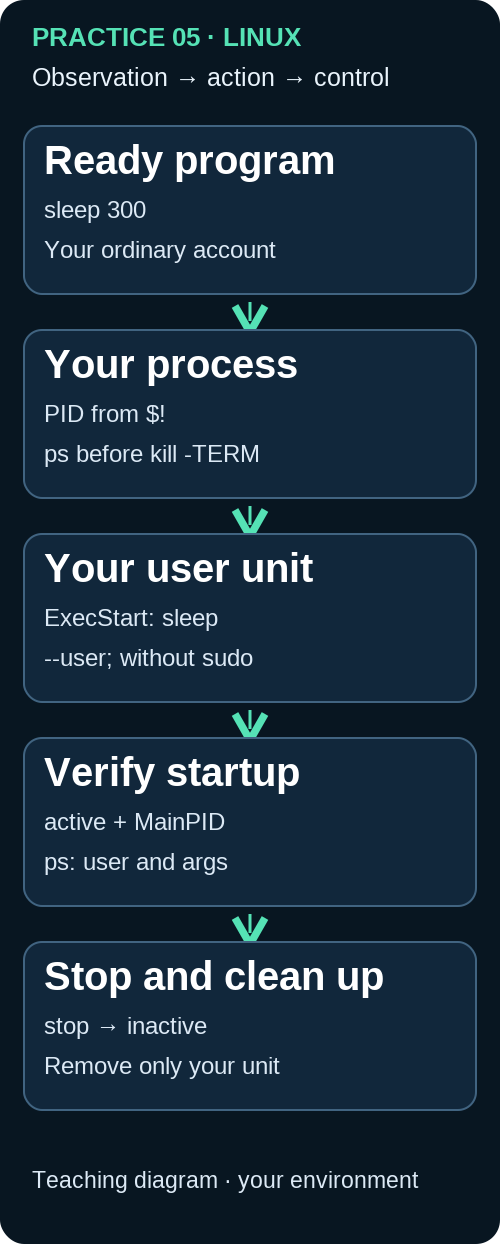
Caption: the unit describes startup; separate observation confirms the actual process.
Practice. The academy-sleep lifecycle
-
Run
systemctl --user status academy-sleep.service --no-pager. Before creation, expect Unit could not be found. This checks for an existing-name conflict. Stop if a service already exists and its origin is unknown. Checkcommand -v sleep: the main Ubuntu path should be/usr/bin/sleep. If different, use its actual absolute path in ExecStart and document the deviation. -
Create the user directory:
mkdir -p ~/.config/systemd/user
nano ~/.config/systemd/user/academy-sleep.service
Mkdir’s -p creates missing parents and permits an existing directory; it does not authorize overwriting an existing unit. Save this file in nano:
[Unit]
Description=Academy local sleep exercise

[Service]
Type=simple
ExecStart=/usr/bin/sleep 300

[Install]
WantedBy=default.target
Unit contains a description; Service contains service parameters. Type=simple selects a simple foreground process. ExecStart gives the executable and argument. It is not a Bash command line: do not add > or &. Install/WantedBy describes a target for a possible enable operation; we do not enable automatic startup. A user service runs as you, without User=root.
- Run separately:
systemctl --user daemon-reload
systemctl --user cat academy-sleep.service
systemctl --user start academy-sleep.service
systemctl --user status academy-sleep.service --no-pager
systemctl --user show academy-sleep.service --property=MainPID --value
Daemon-reload rereads manager configuration instead of restarting every application. Cat shows the located unit; start launches it now. Show reads properties; --property=MainPID selects the main PID, while --value omits its name. Before 300 seconds elapse, expect active (running) and a nonzero PID. Insert your actual number into ps -p NUMBER -o pid,user,args, replacing NUMBER completely. Expect your identity and sleep 300. This positively checks configuration against runtime evidence.
-
systemctl --user restart academy-sleep.servicestops and starts only our unit. MainPID should change. Restart differs from reload, which requires application/service support and is not configured here.systemctl --user list-unit-files academy-sleep.servicedescribes automatic-start configuration rather than process presence. Normally the new unit is disabled even while active. -
Negative control:
systemctl --user stop academy-sleep.service, thensystemctl --user is-active academy-sleep.serviceand immediatelyecho $?. Expect inactive and a nonzero status. Check the former PID with ps while remembering that the system may reuse PIDs. Stop affects current execution; disable would affect automatic startup. We never ran enable.
Save evidence/process-service.txt with the systemd version, unit, started state, two PIDs, user identity, and stopped state. For an ExecStart error, inspect the absolute path and manager message first instead of running as root. Proceed to networking and logs after success. If the service became inactive after five minutes, start your own service again and capture its state promptly.
For cleanup, confirm stop, remove only ~/.config/systemd/user/academy-sleep.service in Files (Ctrl+H reveals hidden .config), then repeat daemon-reload. Preserve the unit text in evidence. Do not delete all of ~/.config/systemd/user, which may contain other services. Old journal records remain historical evidence for the next module.
Sources
- procps ps: PID selection and fields.
- systemd: primary systemctl manual source.
- systemd: primary systemd.service source.
- Firsthand discussion of systemd and ready solutions; this case does not copy its system-service setup.
What your computer stores
Change the conditions and observe this training model. It runs in your browser and does not change your computer.
A filename is not the whole story. Try revealing its extension.
Choose conditions above to see an explanation of the result.
Independent exercise · Russian
Перед закрытием стенда бухгалтерской интеграции сменщик просит остановить только учебную службу ожидания. В списке процессов есть два одинаково названных sleep. У второго работает таймер проверки резервного питания.
Evidence
В 16:10 systemctl --user show shift-demo.service показывает MainPID=4102 и ActiveState=active. У процесса 4102 в списке указан sleep 900. Процесс 4156 выполняет sleep 900 в другом пользовательском юните ups-demo.service. В пределах опыта оба таймера ещё не истекают.
Assignment
Запишите в журнал смены имя останавливаемого юнита, точную команду и ожидаемые состояния обоих юнитов после неё. Объясните, какое наблюдение привязывает первый процесс к учебному заданию.
Compare your reasoning
Привязку даёт MainPID юнита shift-demo.service на момент наблюдения. Команда systemctl --user stop shift-demo.service действует на согласованную службу. При проверке сразу после неё shift-demo.service имеет состояние inactive, а ups-demo.service остаётся active с прежним PID. Одинаковая командная строка процессов сама по себе не даёт такого разграничения.
Personal practice environment
Check an excerpt, find matching lines and compute the SHA-256 of the original text. Temporary data expires after 30 minutes or when you close the environment.
Sign in