
Console: events, filters, and log limits
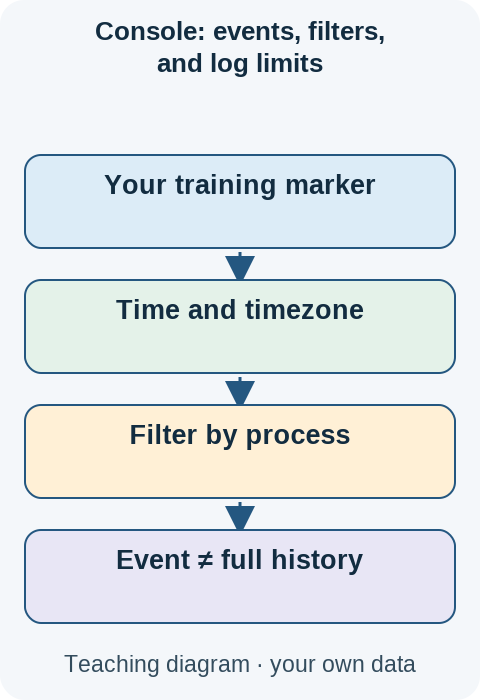
Original teaching diagram. Read from top to bottom; it explains the check sequence and does not depict a recorded interface.
Lesson 1. An event is not a complete history
A log contains records of actions and states that software chose to report and the system retained. It does not automatically record every access to every file. Error is a message level rather than established evidence of an attack. Empty results can arise from time, filter, level, retention, or privileges. Analysis needs source, interval, timezone, selection conditions, and limits.
Create only your own harmless markers here. Leave other people’s messages, application reports, and personal histories outside the exercise. Console, logger, log, and date are included with macOS. They require neither a SIEM nor a custom analyzer. logger submits a message to the logging mechanism, log reads the unified log, and Console provides a graphical interface. Successful submission alone does not guarantee visibility in every log view.
Start with date '+%Y-%m-%d %H:%M:%S %z'. The format selects year, month, day, hours, minutes, seconds, and timezone offset. Record it before the experiment without changing device time. A timestamp without timezone is harder to compare with another source, and the computer’s clock may have an accuracy limit.
Lesson 2. Learn the Console window
Find Console with Spotlight. The left sidebar lists devices and reports; its toolbar control restores the sidebar if hidden. Select your own Mac rather than someone else’s connected phone. Above the table are Start, stopping controls, and search. Rows contain time, type, process, and message, while the lower pane shows selected-record details. Apple states that viewing messages may require administrator credentials. If unavailable, record that limitation and use an accessible command query or an explicitly illustrative example. Apple’s Console instructions identify the controls.
First mini exercise: select your Mac and locate Start, search, and the information pane without taking a full-screen capture. Second: enter the absent training text AcademyLab-console-never-created and press Return. If streaming is allowed, start briefly and stop. Zero rows concern that filter rather than an absence of events on the machine. Replace the filter with the next training marker instead of removing all restrictions. You are ready when you can choose a device, restrict and stop streaming, and locate process, time, and message.
Search supports properties such as p:logger for a process and separate message-text conditions. Multiple conditions narrow results. Control-clicking a record lets you show or hide a property; this changes selection rather than deleting system events. Apple documents search behavior. A useful search does not guarantee identical fields across versions.
Lesson 3. Prepare your message and a limited query
Before the case, open man logger, inspect -t, and leave with q. The first safe trial sends AcademyLab-macos-course: warmup. The option -t AcademyLab-macos-course supplies a tag, while quotes keep the message together. The second sends AcademyLab-macos-course: warmup-two. Neither contains secrets or someone else’s data. Records remain until ordinary system retention removes them; the exercise does not clear logs.
Open log help show, then query your own recent warmup messages with the command below. These preparations cover help and an actual bounded query. --last 5m selects five minutes, --style compact selects a short layout, and --predicate supplies a logical condition. AND requires both conditions. Outer single quotes preserve the expression while inner double quotes identify string values.
logger -t AcademyLab-macos-course 'AcademyLab-macos-course: warmup'
logger -t AcademyLab-macos-course 'AcademyLab-macos-course: warmup-two'
log show --last 5m --style compact --predicate 'process == "logger" AND eventMessage CONTAINS "AcademyLab-macos-course"'
A text-only predicate can also match the record of running log, because its arguments contain the same text. Selecting process == "logger" helps isolate your marker source. This behavior was actually observed on the author’s Mac. Your record count depends on repetitions and environment. The readiness gate is that you understand the conditions and distinguish logger from the reader’s own record. If access is refused, retain the exact limitation rather than grant Terminal Full Disk Access to produce a result.
Practice. Build a small timeline
- Search for
AcademyLab-macos-coursein Console and start streaming if permitted. In Terminal, submitlogger -t AcademyLab-macos-course 'AcademyLab-macos-course: case-start'. - Record local time with date, then submit an equivalent message ending in
case-end. Stop Console after a few seconds. - Read only your own records: time, process, PID, message, and available details. If absent, check selected device, streaming state, search, and level. Do not manufacture a row.
- Run the bounded
log showabove and compare available markers. This compares interfaces without demanding equal record counts. - For a negative control, replace the predicate text with
AcademyLab-console-never-created. An empty result is expected if you never created that marker; it tests selection.
log-card.txt
Source: logger / Console / log show
Time and timezone: ...
Filter and interval: ...
Observed marker / process / PID: ...
Missing or private fields: ...
Conclusion limited to: these selected messages
Next check: device, interval, filter, or access
Leave <private> fields concealed instead of guessing their contents. Do not collect an entire workstation archive for two markers. Retain your own lines and explain why they establish neither all TextEdit operations nor an absence of incidents. Cleanup means stopping the stream, closing Console, and removing only an unnecessary own report copy after retaining the final version. Keep system logs intact. This habit prepares you for SOC and response work: limited evidence first, then a proportionate decision.
What your computer stores
Change the conditions and observe this training model. It runs in your browser and does not change your computer.
A filename is not the whole story. Try revealing its extension.
Choose conditions above to see an explanation of the result.
Independent exercise · Russian
Дежурный в учебном издательстве Екатеринбурга выясняет, попала ли в журнал вторая попытка экспорта. На столе две выписки из Console с одинаковым временем станции. Руководитель просит указать, что именно удалось доказать.
Evidence
Выписка процесса LayoutLab за 17:00–17:10 содержит три записи: «17:03 export L17 start», «17:04 export L17 done» и «17:08 export L18 start». Во второй выписке показаны тот же процесс, то же окно времени и только сообщения со словом done. Там одна строка, относящаяся к L17.
Assignment
Соберите хронологию L17 и L18 и подпишите фильтр каждой выписки. Сформулируйте запрос для продолжения проверки, чтобы отличить задержанный результат L18 от результата, отсутствующего в этих данных.
Compare your reasoning
Для L17 наблюдаются начало и завершение. Для L18 доказано начало в 17:08, а результат остаётся открытым. Расширьте интервал после 17:10 и ищите L18 среди сообщений процесса без ограничения по слову done. Если следов больше нет, сверьте журнал самого экспорта или выходной файл по идентификатору задания.
Personal practice environment
Check an excerpt, find matching lines and compute the SHA-256 of the original text. Temporary data expires after 30 minutes or when you close the environment.
Sign in