
TCC, SIP, and FileVault: three boundaries
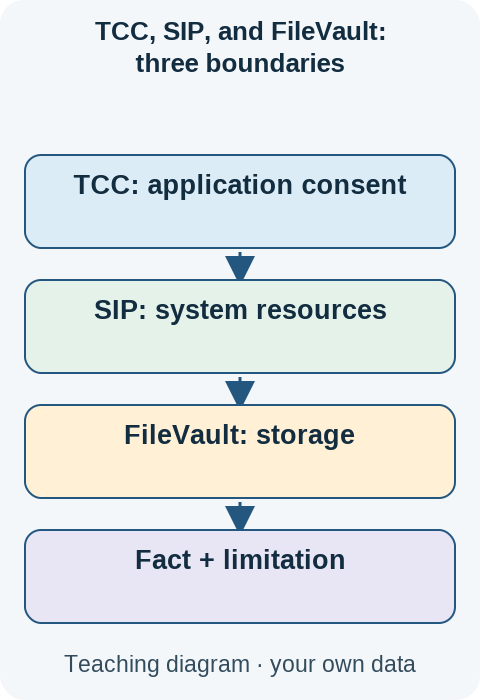
Original teaching diagram. Read from top to bottom; it explains the check sequence and does not depict a recorded interface.
Lesson 1. Separate three protection tasks
A readable file, an allowed camera, and encrypted storage answer different questions. Filesystem permissions determine a principal’s access to an object. TCC, or Transparency, Consent and Control, manages application access to certain data and capabilities. SIP, or System Integrity Protection, restricts changes to protected system resources. FileVault connects storage protection with authorized unlocking. None of these status readings establishes the whole workstation’s security.
Open Apple menu → About This Mac and read the macOS version and Chip or Processor field. Omit the serial number. Apple Silicon uses ARM, while Intel uses another architecture; startup, encryption, and virtualization capabilities differ. uname -m describes the architecture of the current environment. A context translated by Rosetta may require clarification through About This Mac. Do not substitute somebody else’s arm64 for an actual observation.
We use Apple’s ready-made tools already installed on the Mac. Open System Settings from the Apple menu. Its sidebar selects a category, the right pane contains settings and explanations, and search can locate a renamed control. macOS 13 and later uses Privacy & Security; older versions group controls differently. A locked item on a managed device is a specific observation limit. Keep organizational profiles in place.
First mini exercise: find Camera, read the list, and return without touching switches. Second mini exercise: find Files and Folders and compare the list structure. An empty list can mean that eligible applications have not requested access; it does not establish the absence of applications. Your readiness gate is that you can identify category, application, and permission, and distinguish visible configuration from a tested operation.
Lesson 2. TCC applies to an application and category
Apple’s application-file access model covers locations including Documents, Downloads, Desktop, and certain volumes. This is a reason to use a separate training folder at home rather than inspect messages or browser databases. Opening a file through a user-selected dialog can involve a different consent context from independent background searching. Results depend on application, policy, and version.
Full Disk Access is a broad permission rather than a universal repair for misspelled paths. Accessibility lets applications interact with the interface. Automation concerns controlling other applications. Screen-recording permissions involve visible screen contents. A digital signature does not justify these capabilities automatically. A text converter asking for a microphone needs a concrete functional explanation, not merely a familiar icon.
Consent relates to application identity and updates. An author’s Habr account of local dictation describes a build change disrupting expected interface interaction. This raises a diagnostic question about identity rather than recommending global permission resets. In this course, leave the TCC database untouched, avoid granting Terminal Full Disk Access, and retain other applications’ decisions instead of resetting them with tccutil.
Lesson 3. Inspect SIP and FileVault separately
Open Terminal through the Spotlight workflow already learned. csrutil is Apple’s SIP utility. Use only its status argument here to read state. First preparation: open man csrutil and leave with q. Second: run csrutil status and transcribe its status line. If the utility is unavailable, document that limit. Do not download a replacement or enter Recovery. Protection-changing commands have no role in the exercise.
SIP restricts modification of protected system parts, including certain files, processes, and extension operations. Its constraints also affect some actions by privileged processes. It does not prohibit writing every user document. The signed system volume and startup verification are related but separate mechanisms. Apple’s SIP description explains the boundaries. Reading a status does not test every constraint, and overwriting /System is unnecessary as evidence.
Read FileVault through Privacy & Security → FileVault or settings search. The built-in fdesetup status reports state without enabling or disabling encryption. Before the case, open man fdesetup, then read the status separately. Apple Silicon and T2-equipped Macs have a different hardware encryption model from other Intel Macs. Off alone does not prove the absence of hardware encryption. FileVault protects storage unlocking; after login, an application with sufficient access can read data. Keep recovery keys and passwords out of reports. Apple’s FileVault model provides the architecture context.
Practice. Connect each mechanism with an observation
Create a card for three cases. For Camera, choose one visible entry and record category, purpose, and displayed state. If there are none, write “empty list; no actual request performed.” For SIP, retain the status line. For FileVault, compare the setting and command wording without changing either. The interface may need appropriate privileges; never enter somebody else’s password merely to fill a table.
csrutil status
fdesetup status
sw_vers
sw_vers reports the system version for the card’s context. Save protection-card.txt with question, mechanism, observation method, time, actual result, what remains unproved, and next action. The negative control is an explanation of why successfully reading AcademyLab/note.txt neither tests camera consent nor contradicts SIP. These involve different objects and operations.
If FileVault is off or recovery ownership is unknown, prepare an agreed plan for enabling protection and retaining recovery access after validating a backup. The lesson does not start encryption: that is a separate operational decision for the owner. If a control is locked, document management and contact the responsible person. Cleanup means closing windows and checking that switches were unchanged. These built-in Apple mechanisms do not constitute a claim of Russian security-product certification, and configuring macOS does not by itself establish regulatory compliance.
What your computer stores
Change the conditions and observe this training model. It runs in your browser and does not change your computer.
A filename is not the whole story. Try revealing its extension.
Choose conditions above to see an explanation of the result.
Independent exercise · Russian
На ноутбуке учебной студии в Томске приложение для записи лекций сохраняет изображение, но в ролике тишина. До записи достаточно восстановить звук в одном приложении. Для проверки приготовлена десятисекундная фраза без личных сведений.
Evidence
В системных настройках индикатор входа реагирует на речь. В списке доступа к микрофону у приложения «Студия» переключатель выключен. В карточке машины FileVault включён, статус SIP — enabled. Диктофон с разрешением на микрофон записал контрольную фразу с того же входа.
Assignment
Привяжите каждое наблюдение к вопросу, на который оно отвечает. Составьте заявку на одно изменение и опишите, какой результат записи подтвердит восстановление.
Compare your reasoning
Индикатор и проба диктофона подтверждают работоспособность выбранного входа. Разрешение «Студии» на микрофон относится к TCC. Владелец разрешает доступ для этого приложения и повторяет запись после его перезапуска, если система запросит. Проверка пройдена, когда фраза слышна при воспроизведении нового ролика. Статусы шифрования диска и защиты системных файлов фиксируются отдельно.
Personal practice environment
Check an excerpt, find matching lines and compute the SHA-256 of the original text. Temporary data expires after 30 minutes or when you close the environment.
Sign in