
Users, groups, and your own file permissions
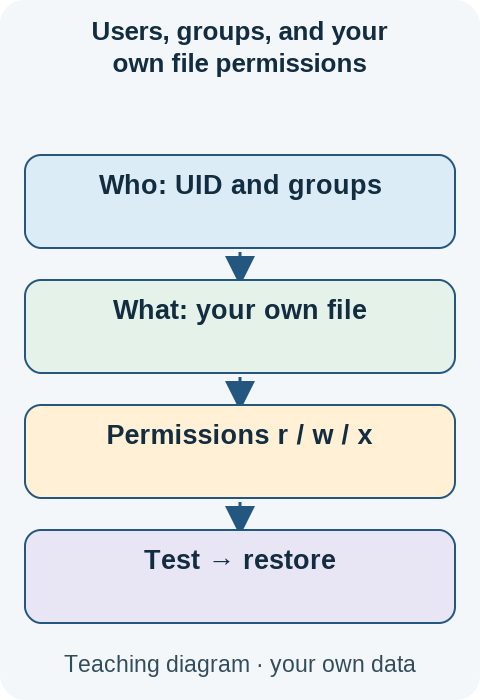
Original teaching diagram. Read from top to bottom; it explains the check sequence and does not depict a recorded interface.
Lesson 1. Identify who performs an operation
A local Mac account supplies the user context for processes and the owner of many created files. An Apple Account supports Apple services; an email address is not a universal local username. The full name in settings, short home-folder name, and numeric UID may look different. Groups organize users for access assignment. Asking whether access exists therefore requires naming a principal, object, and operation: reading text, appending a line, traversing a directory, or executing software.
Open System Settings → Users & Groups and read your account type without creating or renaming users. Standard users work with their own documents. Administrators can authorize additional changes, but their applications do not all continuously run as root. Root is a privileged system identity whose actions still encounter additional macOS protections. This exercise requires neither another account nor elevation.
The built-in id command reports the identity of the shell process. First mini exercise: run id -u and id -un. The -u option selects the UID; adding n selects its name. Second mini exercise: run id -Gn to read group names, where G selects groups and n selects names. Compare administrative group membership with your account type. Avoid publishing complete real names and organizational groups. Your card can use learner and retain only the relevant fact. This group list alone does not determine every application capability.
Lesson 2. Read a file in Finder and ls
Select your own AcademyLab/note.txt in Finder, press Command-I, and expand Sharing & Permissions. The left column lists names and the right describes access such as Read & Write. Some controls require unlocking, but we only read them. Apply to enclosed items could modify many files and has no role here. Apple’s permission guide documents the interface.
In Terminal, run ls -le ~/AcademyLab/note.txt and ls -ld ~/AcademyLab. The l option requests details, e includes ACL entries where present, and d selects the directory itself. An ACL, or access control list, can express more detailed rules. An ordinary file’s mode starts with -; a directory starts with d. Three groups of three positions follow: owner, group, and others. r means reading, w writing, and x execution for a file. Directory x permits traversal, while directory w concerns changing entries. A readable file can still be unreachable through a directory you cannot traverse.
Simplified training example, without dates or size:
-rw-r-----  learner  analysts  note.txt
Owner: rw-   Group: r--   Others: ---
Complete two reading exercises: explain the mode of note.txt, then compare it with AcademyLab. Do not declare ACL entries absent while ignoring lines below the main listing. The readiness gate is that you can locate owner, mode, and the specific training object, distinguish file and directory permissions, and explain why changing the whole home directory would be inappropriate.
Lesson 3. Change one owned training file
chmod changes traditional permissions. We use it only on one owned duplicate. It is included with macOS and needs no installation. Open man chmod, read the mode description, and leave with q. A numeric mode has digits for owner, group, and others. Reading contributes 4, writing 2, and execution 1; addition combines them. 600 grants the owner reading and writing while granting neither to the other categories. 400 leaves the owner reading only. These settings provide neither encryption nor TCC consent.
Duplicate note.txt in Finder and name the copy permissions.txt. Before changing it, read it with cat, verify that the original exists, and run chmod 600 ~/AcademyLab/permissions.txt. This first safe change affects only your own copy. Read ls -le and cat again: one examines configuration, the other tests reading. If the object has a different owner, unfamiliar ACL entries, or a locking flag, stop and use a newly created owned training file. Do not remove somebody else’s rules.
Practice. Separate reading from writing
- Read
permissions.txtand save its initial mode inpermission-card.txtusing TextEdit. - Enter the following lines individually.
printfprints the specified text, with\nrepresenting a newline. The>>operator attempts to append output to the existing file rather than replace its whole contents. - After the denied write, verify that
catstill reads the file. Restore600and repeat the append.
chmod 400 ~/AcademyLab/permissions.txt
ls -le ~/AcademyLab/permissions.txt
cat ~/AcademyLab/permissions.txt
printf 'Permission trial\n' >> ~/AcademyLab/permissions.txt
chmod 600 ~/AcademyLab/permissions.txt
printf 'Permission trial\n' >> ~/AcademyLab/permissions.txt
cat ~/AcademyLab/permissions.txt
The expected negative control is an append refusal under 400, followed by a new line under 600. Shell wording varies. If appending under 400 succeeds, inspect the actual path, ACL output, and execution context instead of rewriting the report to match expectations. An editor can use temporary files and document replacement, which differs from opening the existing file for writing. That is why the main control uses >>. Lack of file-write permission does not forbid every operation on its name inside a writable directory.
Your artifact records principal, object, operation, before-and-after modes, actual response, and the limit of the check. It does not test another user’s access or establish TCC behavior. A missing-file error calls for checking the path; Operation not permitted calls for identifying any additional layer. For cleanup, restore 600, inspect the original note, and retain the duplicate with its card or remove only the duplicate through Finder. Recursive chmod, 777, and system-folder changes have no purpose in this exercise. The next module introduces application privacy and system protection separately.
Account identity and access rights
Change the conditions and observe this training model. It runs in your browser and does not change your computer.
The example has one ownership rule. Real operating-system access also depends on groups, permissions and ACLs: lists of access rules. This illustrates a principle rather than reproducing Linux or NTFS.
Choose conditions above to see an explanation of the result.
Independent exercise · Russian
Дизайнер на учебном Mac бюро в Уфе подготовил заметку о тираже. Группа допечатной подготовки должна читать этот файл, а изменять его может только владелец. Проверяется доступ к содержимому одного учебного файла.
Evidence
Для plan.txt указаны владелец lab, группа prepress, режим -rw-rw----. Учебные записи proof и archive имеют доступ к пути через родительские каталоги. В prepress входит только proof из этих двух. Расширенных списков доступа у файла нет.
Assignment
Составьте матрицу из трёх строк для lab, proof и archive. Укажите чтение и запись до и после минимального изменения режима. Предложите проверку группового доступа на одноразовой копии с тем же владельцем, группой и правами.
Compare your reasoning
Режим 640 даёт lab чтение и запись, proof только чтение, archive ни одного из этих прав. Снимается единственный лишний бит групповой записи. Проверка под proof должна прочитать копию и получить отказ при попытке дописать в неё строку. Удаление или переименование файла проверяло бы права на каталог.
Personal practice environment
Check an excerpt, find matching lines and compute the SHA-256 of the original text. Temporary data expires after 30 minutes or when you close the environment.
Sign in