
What is inside a computer
The computer in a school workshop has a sticker that says “8 GB”. A pupil saved a drawing on it yesterday. Today its settings say “70 GB free”. Could both numbers be correct? Your job is to tell the next pupil what was measured and where to look. You can use a normal user account. If you only have a phone, work with the supplied readings and label them as a sample.
From a key to a letter
Open a blank document and press a letter key. The keyboard reports an input event. The operating system delivers it to the application. The editor updates your document and the graphics system prepares the picture you see. The processor executes instructions during this sequence. Working memory, usually called RAM, holds data and instructions that running programs use. Connections within the machine carry data between components. You can follow the event without opening the case.
Draw four boxes on paper and join them with arrows. Label the first arrow with what you supplied and the last with what you can observe. Now imagine pressing the volume key. The input device might stay the same, but a volume indicator or a change in sound is a different outcome. What would you put in the last box this time?
Where the drawing lives
Storage retains saved files between sessions. The editor uses working memory as it opens your picture, tracks edits and keeps its own code and data available. A file size does not measure all the memory used by the editor. Closing a document may leave the application running. Check what you can actually see before drawing a conclusion.
These readings are from an imaginary laptop. Keep the labels when you copy them. Different systems may use different labels for similar measurements.
System > About     Installed memory: 8 GB
Storage > System   Capacity: 250 GB    Free: 70 GB
Editor             Drawing on disk: 2 MB
About 180 GB of storage was occupied at that moment. The settings screen may round its numbers, so “about” belongs in the answer. The figures tell us nothing about free RAM at that moment. You do not have to delete anything to investigate the difference.
Four squares for a number
A bit can take two values, zero or one. A byte contains eight bits. Draw four squares and write the weights 8, 4, 2 and 1 from left to right. Colour the first and third squares. You have written 1010, which represents ten because 8 + 2 = 10. To write seven, select 4, 2 and 1. To write eight, choose the leftmost square alone.
Pick a workshop seat number from one to fifteen. Encode it in four bits and ask someone to read it by adding the marked weights. Try the opposite direction for thirteen. If you wrote 1011, count from the left again: the marked weights add up to eleven. When recording larger measurements keep the displayed unit. One GB is one billion bytes, while one GiB is 1,073,741,824 bytes.
Practice. Make a device card
- On Windows open Settings, System, About. On macOS use the Apple menu and About This Mac. On a GNOME desktop look for About in Settings. Record the processor or chip model, installed memory and name of the screen. Leave out account names, serial numbers and device identifiers.
- Look up storage in a separate place. On Windows open This PC and view the system drive’s properties. On macOS look for Storage in System Settings. On Linux open the properties of your volume in your file manager. If you can only see free space, label it as such. It cannot stand in for the total capacity.
- Enter the word “workshop” in a text editor. Save the document in your own folder under the name “machine”. Close the document and reopen it from the file manager. Record what you did to check the saved data independently of the original editor window.
- Explain to a new pupil where the letter was being edited and where the program could read it when the file was reopened. If your editor saves automatically, say what you observed. There is no need to turn that feature off.
Check your card
A card that says “memory 70” cannot be checked by a classmate. A usable measurement has a label, a number, a unit and the screen that supplied it. Two pupils might get different file sizes for the same visible word. A plain text file and a formatted document can contain different bytes. Finish when someone can find both measurements and reopen the document using your card.
For the underlying model see Andrew Tanenbaum and Todd Austin, Structured Computer Organization, sixth edition, chapters 1 and 2. Publisher’s contents
Where to put a check
Change the conditions and observe this training model. It runs in your browser and does not change your computer.
A team is preparing a release. Enable the independent checks and see what remains unknown.
Choose conditions above to see an explanation of the result.
Independent exercise
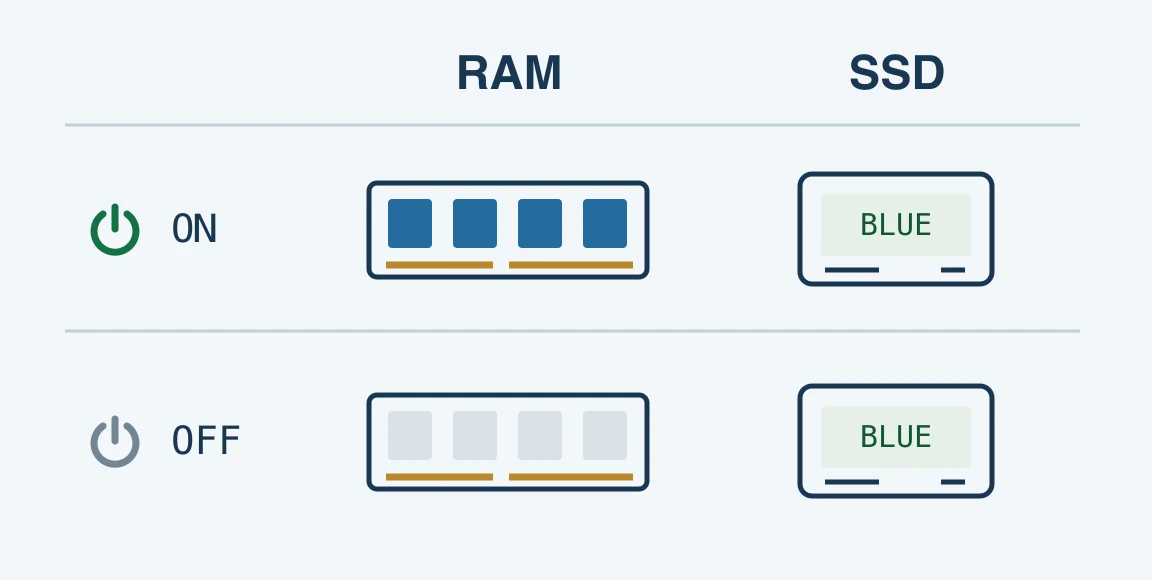
A pupil has written readings for two computers. To judge space for a folder, look at the labels beside the numbers.
Evidence
A: RAM 8 GB | SSD 128 GB | free 7 GB
B: RAM 4 GB | SSD 256 GB | free 32 GB
Folder: 10 GB
Assignment
Choose a computer that can hold the folder without removing anything. Estimate the remaining space and state an assumption.
Compare your reasoning
B has room and should have about 22 GB remaining. This assumes identical units and no other change in free space during the copy. Installed RAM does not decide the drive capacity.
Personal practice environment
Check an excerpt, find matching lines and compute the SHA-256 of the original text. Temporary data expires after 30 minutes or when you close the environment.
Sign in